Screenshot in. Source and time range out.
Search your indexed footage with a screenshot or clip. Review candidate videos, preview the matching section and open the source file.
See the screenshot search guide → Photonseed
MediaDNA Library · Desktop footage search for creators
Search your indexed footage across your computer, external drives and mounted NAS. Your originals stay in place.
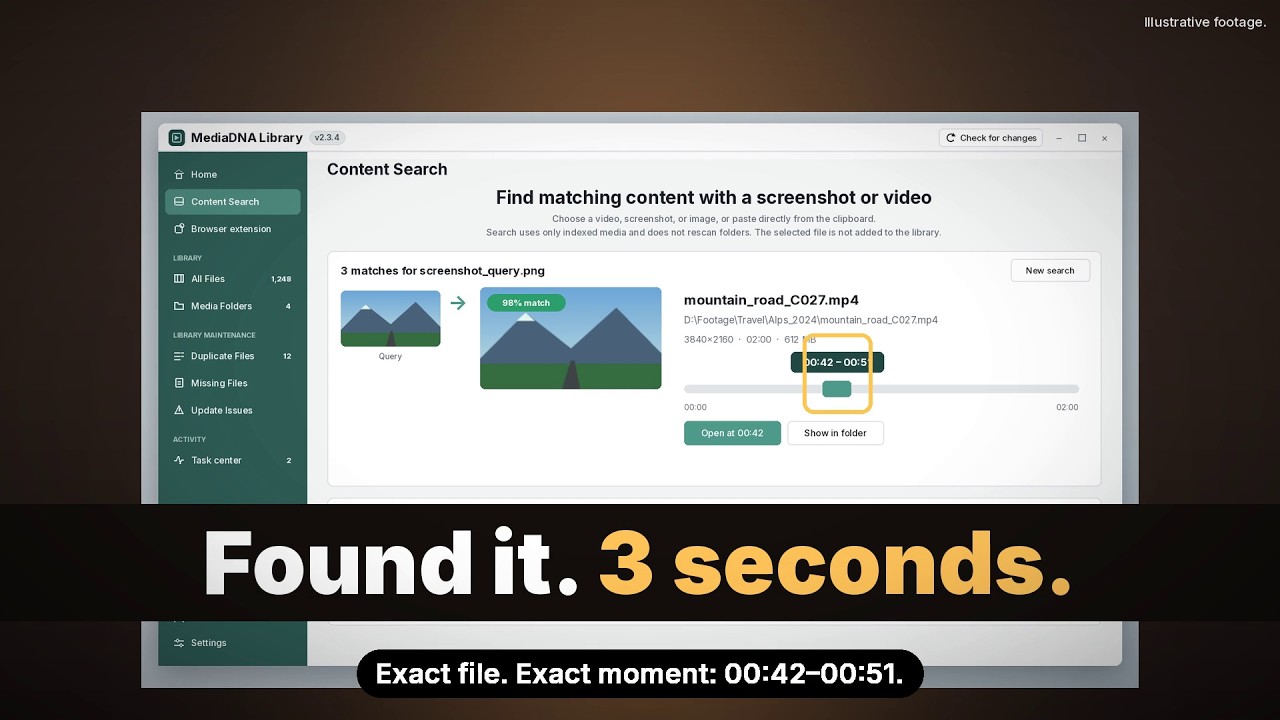 Watch the story · 26s
2:47 AM. The Client Wants ONE Shot | MediaDNA Library
Illustrative footage and demo interface; not a recording of a real user's library.
Your footage. Your workflow.
Build an index of your footage, then search it when a project needs a shot you remember.
Add accessible folders from your computer, connected drives or mounted network storage. Keep your originals where they are.
MediaDNA Library prepares a visual index on your computer. Indexing time depends on your footage and hardware.
Search with a screenshot, review candidate videos and matching sections, then open the footage for your edit. Use video-file and section search to compare a clip.
From saved footage to your next edit
For editors, vlog creators and small content teams working with videos across folders and drives.
Search your indexed footage with a screenshot or clip. Review candidate videos, preview the matching section and open the source file.
See the screenshot search guide →Review whole visual duplicates, including renamed or re-encoded copies. Audio, subtitles and picture quality can differ; you choose what to keep.
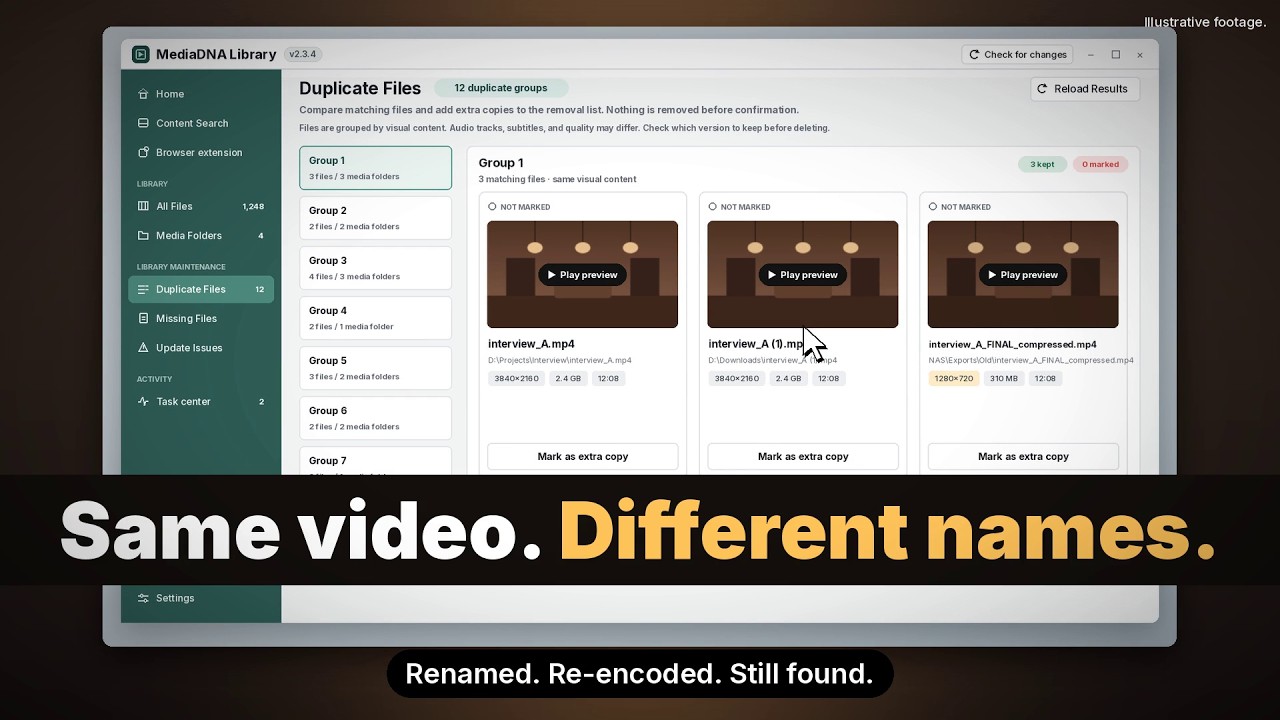 Watch the story · 25s
Disk Full at 97%. Find Duplicate Videos by What's In Them | MediaDNA
Use the Chrome companion to search the current video frame in your local library. Review candidates, then open their matching sections in the desktop app. Requires the desktop app and browser connector.
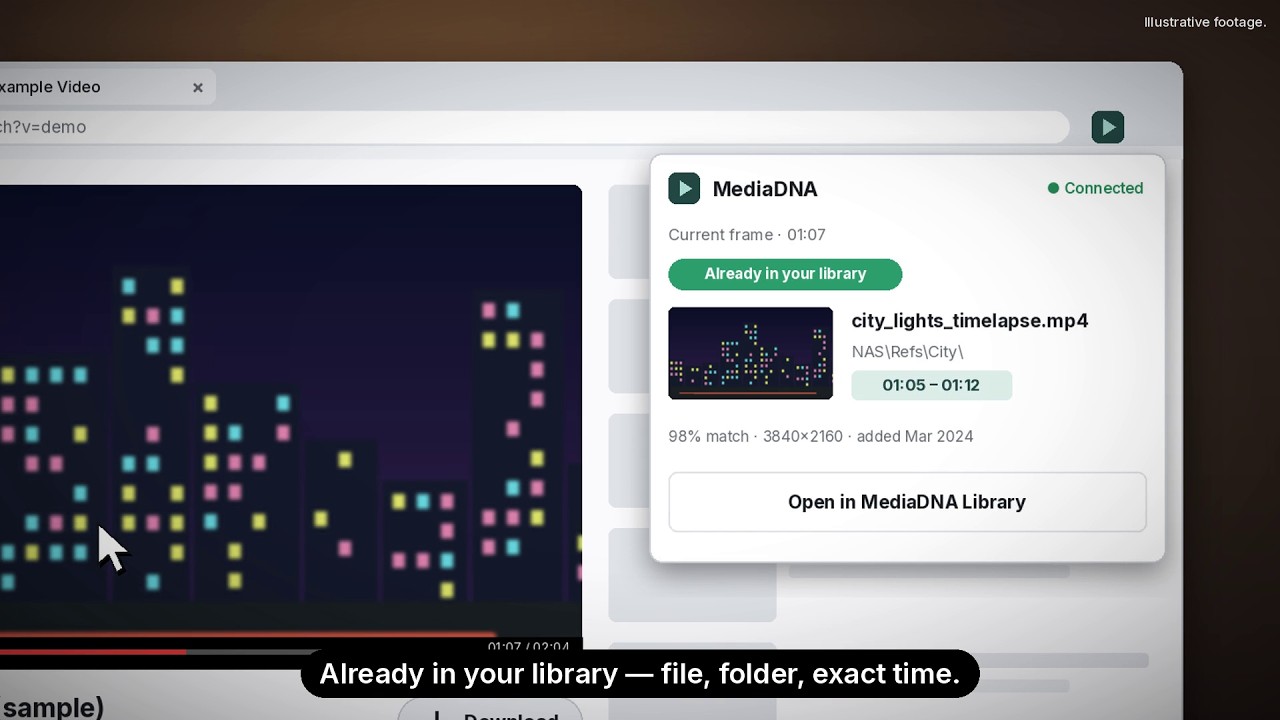 Watch the story · 25s
Didn't I Already Download This? | MediaDNA Chrome Extension
Practical guides
Index local, external and NAS footage; review duplicates; check new files before adding them; find and reuse saved videos.
Find candidate source videos and time ranges in your indexed library, then review the matches.
See how local visual features locate sources and how full-content checks distinguish copies from shared clips.
Compare videos with different names or encodings, distinguish full matches from shared clips and review the versions to keep.
Your own videos that have been indexed in MediaDNA Library. Screenshot search finds candidate videos and matching time ranges. It does not search the web, trace an original creator or identify people by their faces.
Your original videos stay in their folders. Media indexing, feature extraction, matching and search all run on your computer. Sign in online to activate the app, then use these features offline within your license’s offline access period.
Submit your email and, optionally, your operating system or use case. We will follow up by email about availability and how to obtain a test build. The site currently uses applications rather than public downloads; a request does not guarantee immediate access.
How we build
Photonseed is an independent software studio. MediaDNA Library is our current product, built to help people find and reuse their own videos. Questions about installation, features or your library are welcome.
Contact the studio →We start with a specific task, such as finding a video you saved when a new project needs it.
Show useful results and clear choices so people can decide what to do next.
Sight, Sound, and Memory guide our development. MediaDNA Library is our current featured product.
Tools that help people understand what is in visual media.
Tools that turn audio signals into useful context.
Tools that bring useful traces back when they matter.
MediaDNA Library